
Quickstart
From download to first logged set.
There's no account to make, so this is mostly tapping the plus button and typing what you lifted. Six steps, start to finish.
-
Add your first exercise
On the Exercises tab, tap + (top right). Name what's in front of you — “Bench Press,” “Leg Press,” whatever the bar or machine is. Choose what it tracks: Weight and Reps are on by default, but you can switch to reps only (pull-ups), Time (a plank), or Distance. Tap Save — or Start to save it and jump straight into a session.
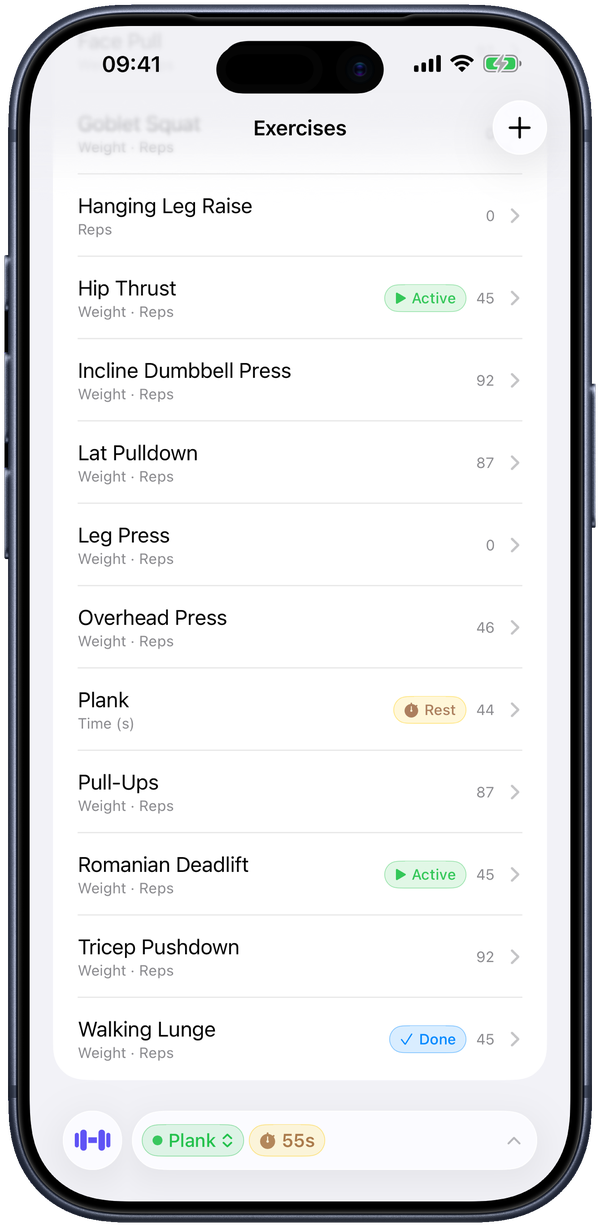
The Exercises tab. Tap + to add one; each row shows what it tracks (Weight · Reps, Reps, Time) and its live status during a workout. -
Log your first set
Open the exercise and type your weight and reps into the Wt and Reps columns, then tap Set to add the next row. Everything saves the instant you type it — if your phone dies mid-set, nothing is lost.
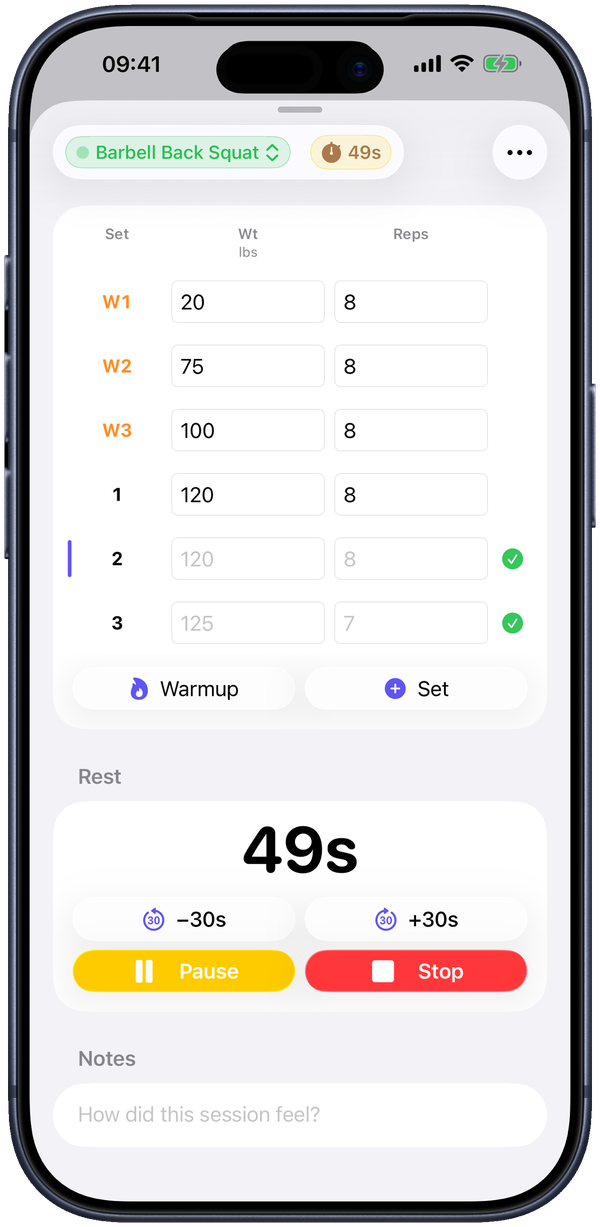
A live session: warmups (W1–W3) above your working sets, the Warmup and Set buttons, and the rest timer below. -
Add warmups too
Tap Warmup to add a warmup row — they show up as W1, W2, W3 and stay separate from your working sets, so they never muddy your numbers or your personal bests.
-
Start the rest timer
In the Rest section, start the timer (30s, 60s, 2m, or 3m). It keeps running as a Live Activity on your Lock Screen and in the Dynamic Island, and an alarm rings when you're up — so you can pocket the phone between sets. Nudge it with −30s / +30s or hit Pause.
-
Beat your best
Any working set that tops your history for that exercise earns a star — that's a personal best, tracked automatically. You never log one by hand, and warmups never count.
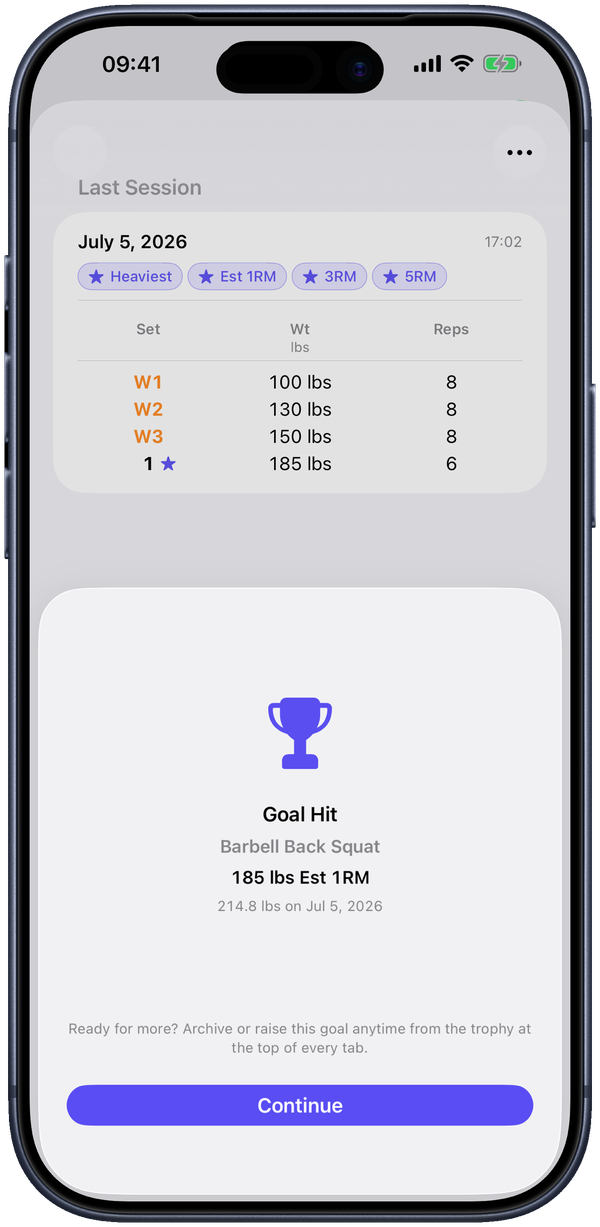
A starred set marks a personal best the moment you log it. -
That's the loop
Name it, log it, rest, repeat. Everything else — routines, the calendar, progress charts, the plate math — is there when you want it and out of the way when you don't.
Where to next
- Lift the same handful of exercises most days? Set up a routine so they're grouped and start with one tap.
- Want the bar math done for you? The plate calculator is free; warmup percentages are in Pro.
- Curious what you can dig into later? The full guide walks through every feature.